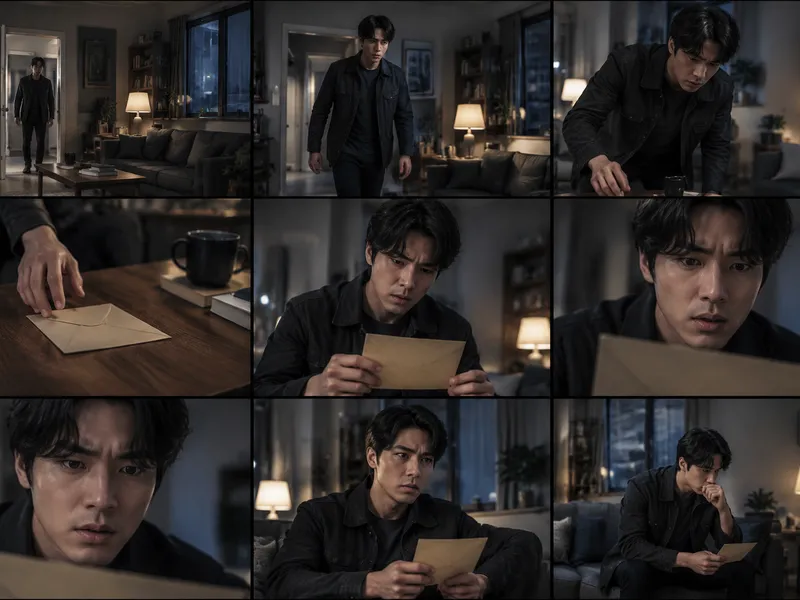
CINEMATIC STORYBOARD CONTACT SHEET

Create a Continuous Short Film Segment Storyboard

Turn one actor reference and a scene brief into a coherent 3x3 storyboard contact sheet with cinematic keyframes that follow a clear emotional arc.

One coherent sceneFour-beat progressionVideo-ready keyframes
One coherent sceneKeep location, actor, wardrobe and camera language consistent across the contact sheet.
Four-beat progressionStructure the frames as setup, build, turn and payoff instead of random stills.
Video-ready keyframesCreate clear cinematic moments that can guide later clip generation and editing.
History
0/10000
Loading…
nano-banana-pro100 Credits
Prompt Helper
Credit cost varies by model · Check settings before generating

What You Can Create with a Continuous Short Film Storyboard

This page is for planning a 10–20 second cinematic scene as a single contact sheet of connected keyframes. It creates the visual plan; it does not pretend to render the finished video.

A 3x3 cinematic contact sheet

One master storyboard.

A 3x3 cinematic contact sheet

Lay out nine frames from the same scene so the sequence can be reviewed at a glance.
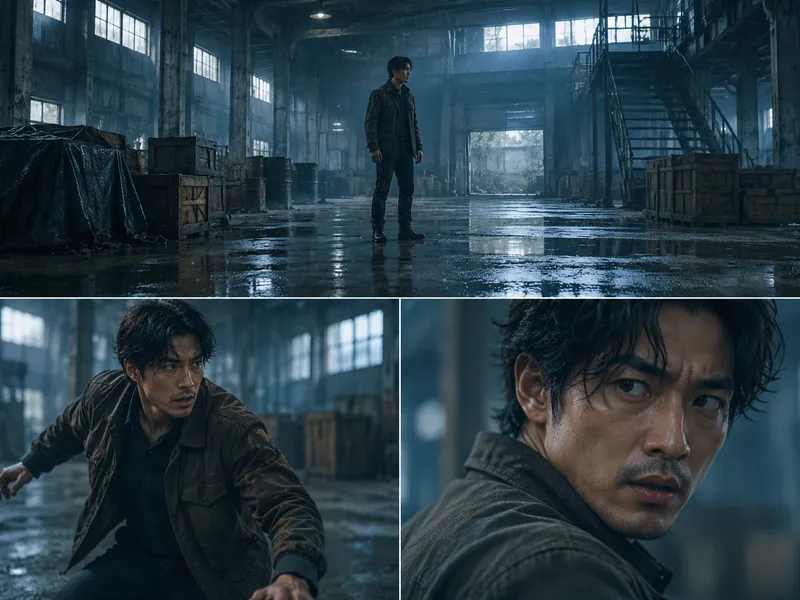
A clear emotional arc

Better continuity.

A clear emotional arc

Move from setup to build, turn and payoff with a deliberate change in action or emotion.
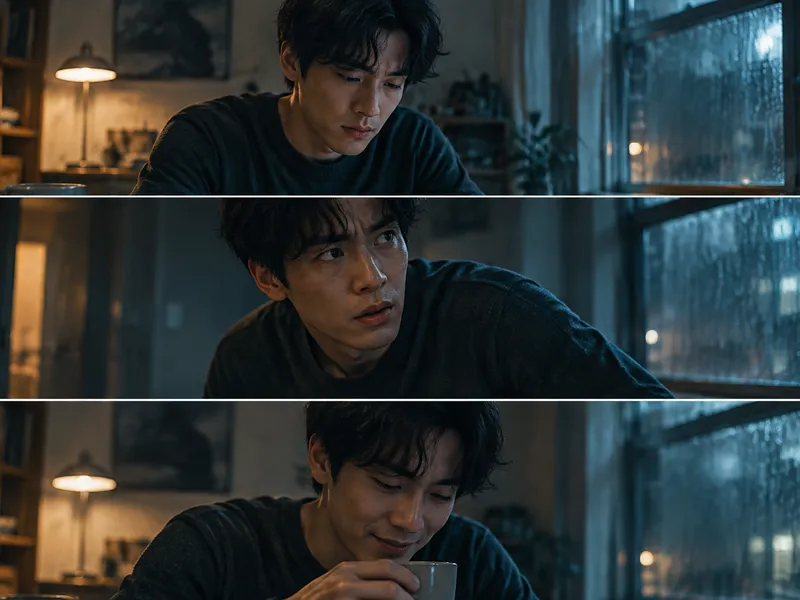
Keyframes for later video work

A practical handoff.

Keyframes for later video work

Use each frame as a visual reference when generating clips and stitching the final sequence.

How to Build a Continuous Short Film Segment

Start with the actor and scene, define the four beats, then refine the keyframes for continuity.

1

Upload one actor reference

Use a reference with a clear face and enough body or wardrobe detail for the scene.

2

Write the scene brief

Describe the location, time, mood, action and the emotional change you want to see.

3

Map nine connected frames

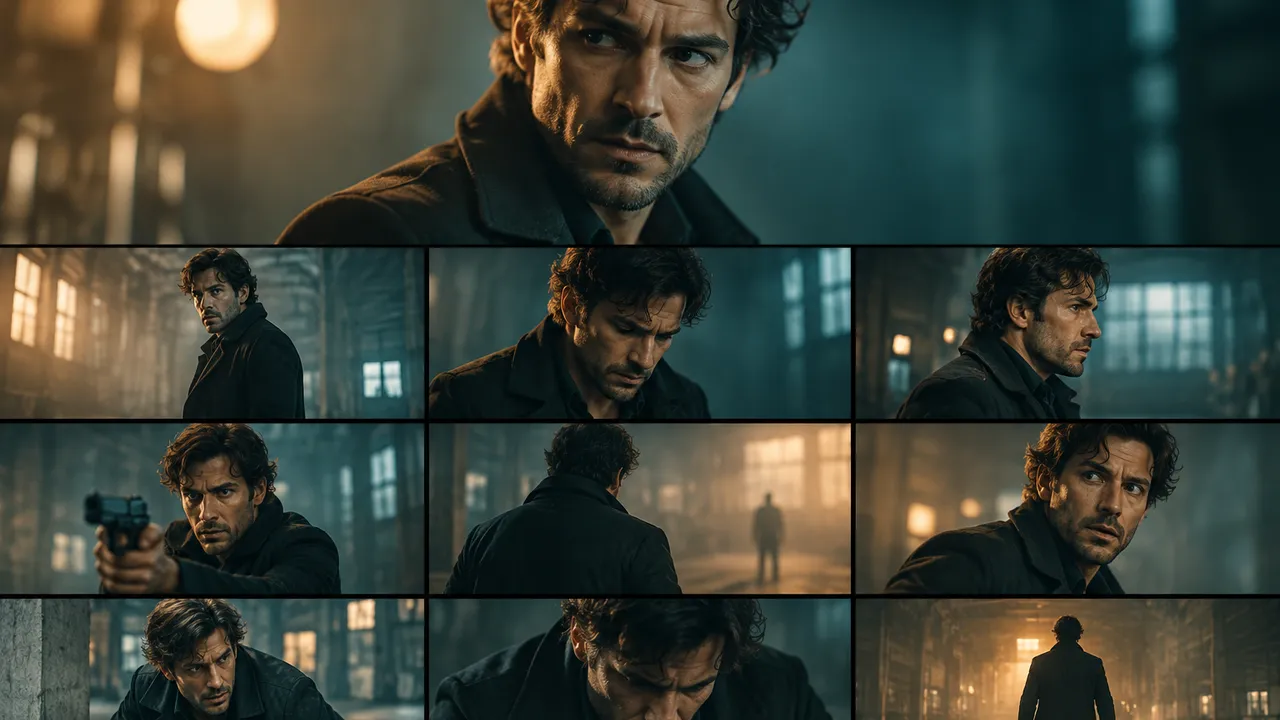
Name the establishing, action, turn and final frames so the contact sheet reads like one scene.
Imagens.App

About This Cinematic Storyboard Workflow

The original brief asks for one reference image, a 10–20 second scene, nine keyframes, one master 3x3 image and a four-beat setup → build → turn → payoff structure. This landing page keeps the tool honest: it helps create the storyboard and keyframe plan used before video generation.

Reference continuity

Use one actor reference and repeat wardrobe, location and identity details.

Shot progression

Mix establishing, medium and close shots to create an understandable sequence.

Emotional structure

Give the scene a beginning, rising movement, a turn and a final beat.

Video handoff

Treat the contact sheet as a guide for generating and stitching separate clips.

No fake finished-video claim

The workspace creates images/storyboards; final motion rendering happens in a later video workflow.

Key Controls for a Film-Ready Contact Sheet

A useful storyboard is specific enough to guide clips while leaving room for motion generation later.

Lock the world before the shots

Repeat the location, time, wardrobe, lens mood and lighting across every keyframe.
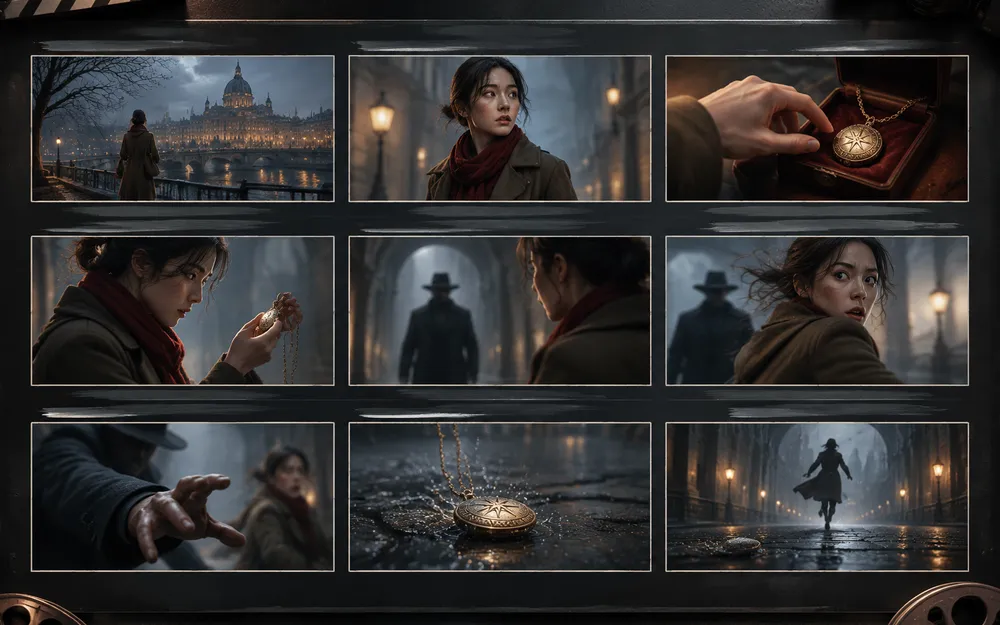
Lock the world before the shots
Make every frame advance the scene

Make every frame advance the scene

Change action, camera distance or emotion in a way that supports the four-beat arc.

Frequently Asked Questions

Answers about references, prompts, consistency and what this style workflow can produce.

What does this page generate?

It generates a cinematic storyboard/contact sheet and keyframe images from a reference and scene brief. It is a planning step for a later video workflow.

How many frames should I request?

The original workflow is designed around nine frames arranged as one 3x3 master image.

Why use one actor reference image?

A clear reference helps keep the actor’s identity, wardrobe and visual presence consistent from frame to frame.

What is the setup-build-turn-payoff structure?

Setup establishes the world, build increases action or tension, turn changes the situation, and payoff provides the final visual beat.

Can I add another actor?

Yes, if the scene needs it. Describe the second actor’s role and keep the main scene, lighting and continuity constraints clear.

How do I avoid random-looking keyframes?

Repeat the same location, wardrobe, time of day and camera language, then describe how each frame continues the previous one.

Should I describe camera shots?

Yes. Establishing, medium, over-the-shoulder and close shots help the storyboard communicate how the final sequence may be edited.

Can this page generate the finished video?

No. It creates the visual keyframes/contact sheet. Use the frames as references for a video model and edit the resulting clips together.

What makes a good scene brief?

Include the actor, location, action, time, lighting, mood and the emotional change you want across the short sequence.

Can I use the storyboard for a 10–20 second clip?

Yes. Nine connected keyframes are suitable for planning a short sequence, but final duration and motion depend on the video model and editing workflow.
Still have questions? Contact us at resend0@foxmail.com

Ready to trythis style?

Turn one actor reference and a scene brief into a coherent 3x3 storyboard contact sheet with cinematic keyframes that follow a clear emotional arc.

Feedback email