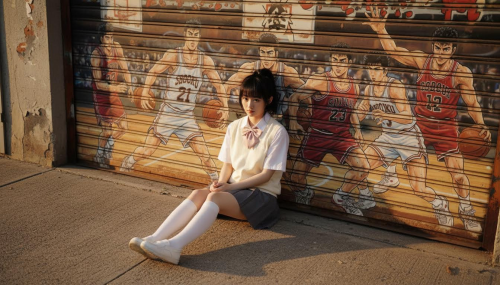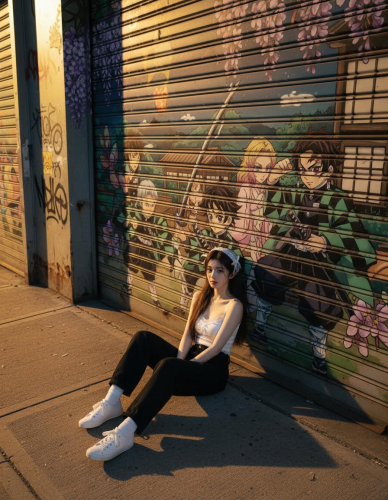
New: Cinematic Urban Streetwear Model

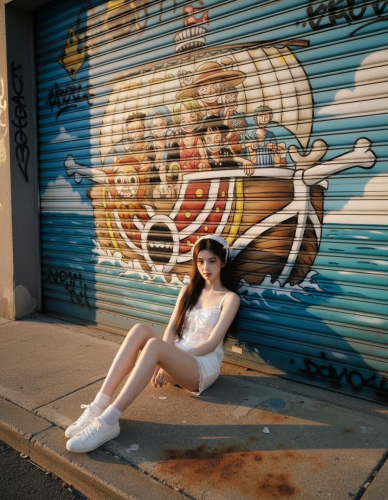
Create Cinematic Funny Background Wall
Group Photos

Generate realistic, movie-quality urban streetwear portraits against retro graffiti backgrounds. Perfect for fashion lookbooks, social media, and creative projects.

Cinematic LightingGolden hour & long shadows
Retro Graffiti ArtComplex & colorful backgrounds
Streetwear VibesRealistic fashion textures
History
0/10000
Loading…
nano-banana-pro100 Credits
Prompt Helper

Why Choose Imagens.App for Urban Portraits?

We specialize in generating high-fidelity cinematic urban photography. Our AI understands the nuances of streetwear fashion, retro graffiti aesthetics, and the magic of golden hour lighting.

Cinematic Realism

Movie-quality output.

Cinematic Realism

Generate photos that look like they were taken by a professional documentary photographer with high-end gear.
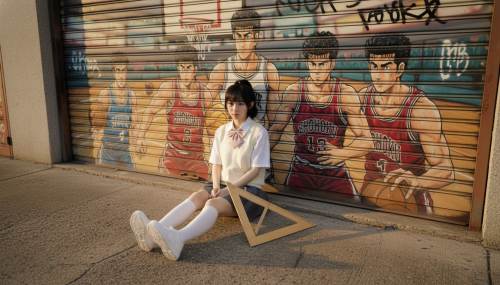
Complex Graffiti Art

Unique urban art.

Complex Graffiti Art

Automatically generate intricate, colorful retro graffiti backgrounds that add depth and character to your shots.
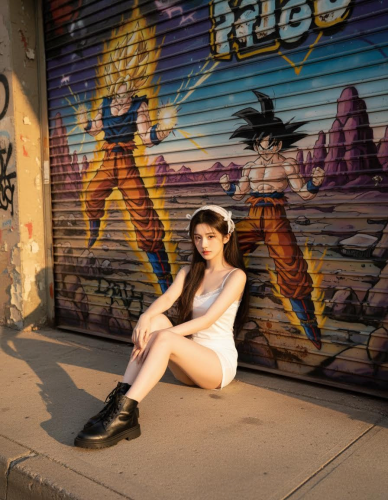
Perfect Lighting

Warm sunset glow.

Perfect Lighting

Mastering the "Golden Hour" look with warm sunlight and soft, long shadows for dramatic effect.

How to Create Your Funny Background Wall Group Photo

Three simple steps to generate your own cinematic urban streetwear masterpiece.

1

Describe the Vibe

Enter a prompt describing the characters, their streetwear, and the mood of the graffiti.

2

Select "Urban Cinematic"

Choose our specialized model optimized for street photography and high-angle shots.

3

Generate & Share

Get your high-resolution image in seconds, ready for social media or your portfolio.
Imagens.App

About Funny Background Wall Group Photo Generator

Imagens.App brings the gritty, vibrant energy of the city to your screen. Our "Funny Background Wall Group Photo" generator is designed to replicate the specific aesthetic of urban streetwear photography—combining weathered textures, retro graffiti art, and cinematic lighting. Whether you are a fashion brand, a digital artist, or just looking for a cool profile picture, our AI delivers stunning, realistic results every time.

High-Angle Perspectives

Specialized in unique camera angles for dynamic compositions.

Texture Rich

Renders realistic concrete, rust, and skin textures.

Fashion Forward

Understands streetwear trends and clothing details.

Atmospheric Lighting

Expertly handles sunset and natural light scenarios.

Instant Creativity

No location scouting needed—create the perfect street scene instantly.

Key Features of Our Urban Portrait Generator

Crafted for detail, atmosphere, and style.

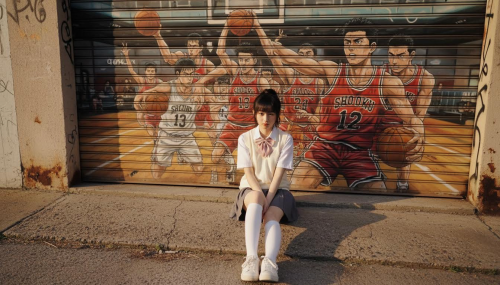
Retro Graffiti Engine

Generates unique, style-complex vintage graffiti art on backgrounds.
Retro Graffiti Engine
Documentary Style

Documentary Style

Emulates the look and feel of high-end documentary photography.

Performance for Creators

High-speed generation with premium quality.

~ 30sGeneration Time
4K+Resolution
50k+ Happy Users

Group Photo Prompt Examples

Each prompt below fixes the people, the wall and the light in one pass. Swap the wall description and lens to change the mood without rewriting everything.

Three friends, graffiti wall

Three friends in oversized streetwear standing in front of a tagged concrete wall, golden hour side light, 35mm lens, slight low angle, natural skin texture.

High-angle crew shot

Four people looking up at the camera, high angle, wet asphalt, neon signage behind them, cool shadows with warm rim light, cinematic contrast.

Retro film group portrait

Five people in 1990s jackets against a faded painted wall, overcast daylight, Kodak Gold color, visible grain, relaxed poses, no logos.

Night flash look

Group of three against a dark brick wall, direct on-camera flash, hard shadows, slight motion blur, candid expressions.

Clean editorial version

Two models in minimal outfits against a plain concrete wall, soft diffused light, medium format look, muted palette, full-body framing.

How to describe a group without losing faces

  • State how many people, then their positions: left, centre, right, front row.
  • Give each person one distinguishing detail so the model does not merge them.
  • Keep the wall and the light in separate sentences; mixed instructions blur the scene.

Frequently Asked Questions

Common questions about creating urban streetwear portraits.

What is a Funny Background Wall Group Photo?

It is a specific style of urban portrait photography featuring a group of people in streetwear, set against a colorful, retro graffiti wall, often captured with cinematic lighting and a high angle.

Can I customize the graffiti style?

Yes! In your prompt, you can describe the colors, style (e.g., wildstyle, bubble, retro), or theme of the graffiti on the garage door.

How do I get the "Golden Hour" look?

Our model is tuned for this. Simply include "warm golden sunset" or "golden hour" in your prompt to achieve that beautiful, soft lighting.

Is the image suitable for commercial use?

Yes, if you use our paid credits, the generated images are yours to use commercially for fashion brands, album covers, or marketing.

Can I change the clothing of the characters?

Absolutely. Describe the streetwear outfits in detail—hoodies, sneakers, caps, accessories—and the AI will render them faithfully.

What is "High Angle" shot?

It implies the camera is positioned above the subject, looking down. This perspective is popular in modern street photography and is a signature of this style.

How much does it cost?

Pricing is based on a credit system. Different models and resolutions consume different amounts of credits. Check our pricing page for details.

Can I generate a solo portrait instead of a group?

Yes, just specify "solo portrait" or "single person" in your prompt instead of "group photo".

What format are the images?

You can download your urban portraits in high-quality PNG or JPG formats.

How realistic are the textures?

Our AI excels at rendering textures like weathered concrete, rusting metal, and fabric weaves, giving your photos a hyper-realistic look.

How many people can one group photo include?

Two to six described people gives the most reliable result. Beyond that, faces get crowded and small details are dropped.

Can I control the wall separately from the people?

Yes. Describe the wall material, colour and tags in one sentence, then the people and their outfits in the next.

Why do the faces look like invented people?

This page generates from a text prompt, so faces are synthesised. If you need a specific person, start from a photo-based tool instead.

What prompt order works best?

Subject and count, then outfit, then pose, then wall, then lighting, then lens. Keep each part short.
Still have questions? Contact us at resend0@foxmail.com

Related tools on Imagens.App

🎨 Unleash Creativity

Create Your OwnCinematic Urban Portrait

Join thousands of creators making stunning street photography with AI.

No photography skills needed · Instant movie-quality results

Feedback email